Updated September 2026: this comparison has been rewritten with current prices, sources and more apps — read the new version. Figures below are from July 2026 and are out of date.
First, a disclosure: we make PicDock, one of the three apps compared here. We are obviously not neutral. What we can be is factual — every claim below comes from public Play Store listings, published prices, and user reviews you can read yourself, current as of July 2026. Where a competitor is the better choice, we say so.
The three contenders
Fotoo is the veteran. Over a million downloads, years of development, and broad cloud support. If you have searched "photo frame app" before, you have seen it.
Frameo is technically a different animal: it is the companion app for Frameo-powered hardware frames, built around one lovely idea — family members send photos from their phones straight to grandma's frame.
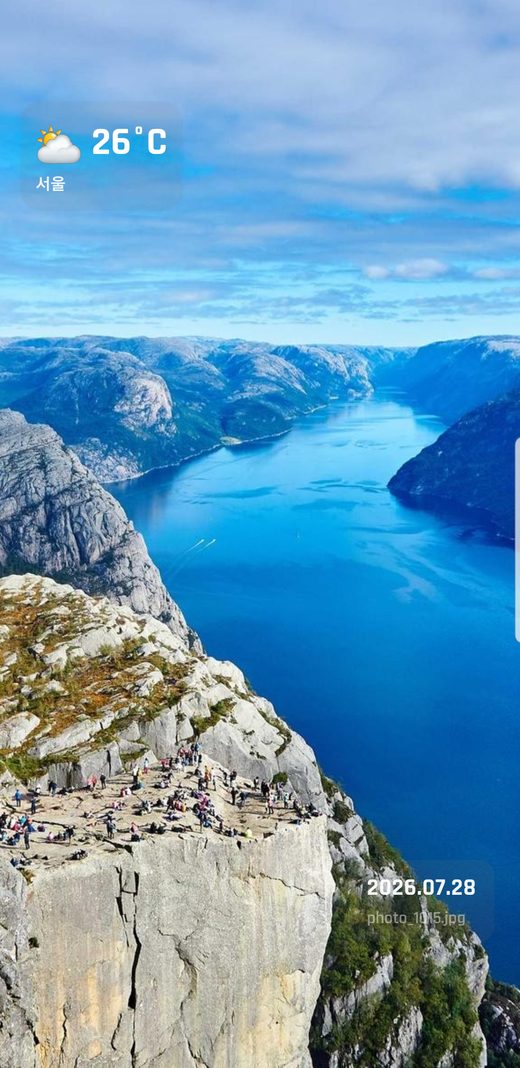
PicDock is ours: a newer app focused on turning the tablet you already own into a frame, with live weather, a clock, and every photo source free.
The comparison table
| PicDock | Fotoo | Frameo | |
|---|---|---|---|
| Play Store rating | 4.4★ | 3.8★ | 4.8★ |
| Downloads | 5K+ (newer) | 1M+ | 10M+ |
| Pricing model | Free + $19.99 one-time | Free + ~$25 one-time | Free + $1.99/mo or $16.99/yr |
| Works on your own tablet | Yes — that is the point | Yes | Partially — designed for Frameo hardware frames |
| Free version limits | All sources, video, face detection free; extra styling is paid | User reviews report forced pauses in the free version | Core sending free; backup & extras subscription |
| Devices per purchase | All devices on your Google account | User reviews report a 1-device limit | Per-frame hardware |
| Cloud / NAS sources | Google Photos, NAS/SMB, Dropbox, OneDrive, iCloud Shared Albums, web upload | Google Photos, Google Drive, Dropbox, OneDrive, local | Phone-to-frame sending |
| Video in slideshow | Yes | Beta (added 2026) | Short clips |
| Weather + clock overlay | Yes, with forecasts | Clock/weather available | No |
| Face detection filter | Yes, free | No | No |
Sources: Google Play listings and public user reviews, July 2026. Prices vary by region.
When Frameo is the right answer
Be honest about the use case: if you are buying a frame as a gift for someone who will never configure anything, a Frameo hardware frame is genuinely great. The receiver plugs it in; the family sends photos from their phones; it just works. Its 4.8★ rating is earned. The trade-offs are the hardware cost, the subscription for backup features, and that it is not designed to reuse a tablet you already own.
When Fotoo is the right answer
Fotoo has been at this for years and it shows in breadth: Google Drive support, mature folder handling, lots of display options. If you need Google Drive specifically, Fotoo is the one on this list that has it. The friction points, according to its own recent reviews, are the free version's forced pauses and a paid license that users report works on only one device — worth knowing if you plan frames in two rooms.
When PicDock is the right answer
PicDock is built for one scenario done thoroughly: an old tablet on a shelf, always on, showing your photos beautifully.
- The slideshow never stops to upsell you. No forced pauses, no timed nags. On an ambient device this matters more than any feature.
- One purchase, all your devices. The lifetime unlock follows your Google account — kitchen frame and bedroom frame included.
- The free version is the full frame. Every source (Google Photos, NAS/SMB, Dropbox, OneDrive, iCloud Shared Albums, web upload), video playback, and the face filter are free. The paid tier adds styling: more transitions, clock designs, forecasts.
- Details a frame actually needs: the photo's real capture date from EXIF, two portrait photos paired on a landscape screen, night mode, auto-start when docked.
The honest downside: PicDock is the newest of the three. Smaller install base, shorter track record — and iOS support is limited to a companion app. If a decade of history is what you value, Fotoo has it and we do not, yet.
Bottom line
- Gift for a non-technical relative → Frameo hardware frame.
- You need Google Drive as a source → Fotoo.
- Reusing your own tablet, want everything free to start, hate interruptions → PicDock.
Try the comparison yourself
PicDock's free version has no time limit and needs no payment details.
Get PicDock on Google PlayFree download: Google Play · App Store · Amazon Appstore